A mobile booking app for dance studios should do more than display class times. It should help dancers and parents find and reserve a suitable class, while making bookings easier for your team to manage. When scheduling, memberships, payments, and staff timetables sit in separate systems, even a sim...
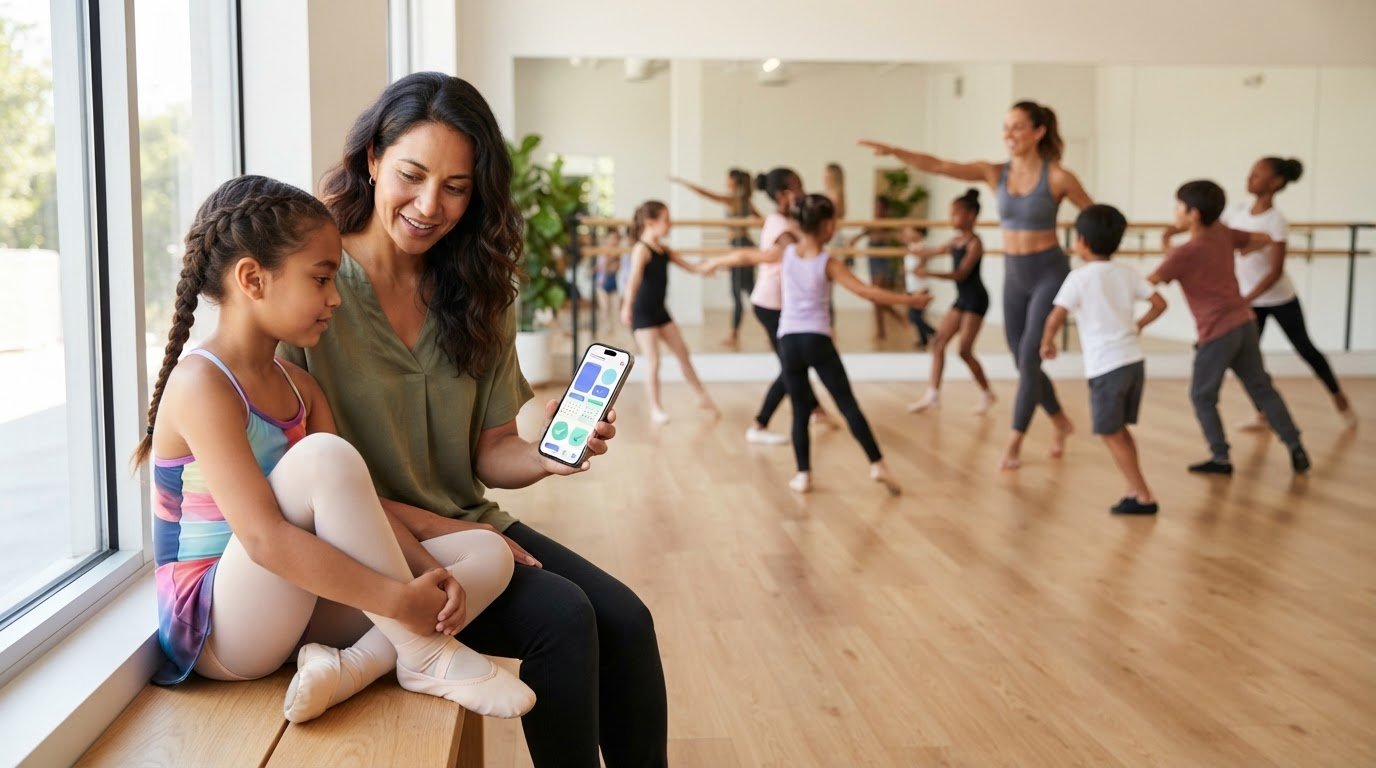
A mobile booking app for dance studios should do more than display class times. It should help dancers and parents find and reserve a suitable class, while making bookings easier for your team to manage. When scheduling, memberships, payments, and staff timetables sit in separate systems, even a simple reservation can create extra admin.
A well-connected setup links the member experience with the work happening behind the scenes. Dancers can book on their phones, while studio staff manage classes and memberships through the wider system.
This guide explains what a dance studio booking app should do for students, parents, and staff. You’ll learn which features to compare, how to test the booking process, and how to choose a setup that fits your classes and daily workflows. The goal is to make booking clearer for your community and reduce manual work for your team.
• A mobile booking app for dance studios should make it easy for dancers and parents to find and reserve classes.
• Assess the member booking experience separately from the scheduling and records staff use to coordinate classes.
• Compare a dedicated app, mobile-friendly booking website, and connected studio platform based on how each serves members and staff.
• Start with your studio’s booking bottlenecks, then test the process from both the member and staff perspectives.
• Connecting class scheduling, memberships, payments, and staff management can support a more coordinated studio workflow.
A class sign-up can seem simple: choose a session, reserve a place, and get the details. But if a dancer has to call the studio, wait for a reply, or send a message that staff later copy into a list, one booking can create several admin tasks. Mobile booking brings those steps onto a phone and can make the studio schedule easier to coordinate.
A mobile booking app for dance studios lets members use a mobile device to find and reserve studio sessions. Booking access is the member-facing part. Full studio management also gives owners and staff tools to manage schedules, memberships, payments, and staff. These functions can be connected, but they are not the same thing. An app may provide a booking route without including the operational tools behind it.
Dancers use booking access to browse classes, check session details, and reserve a place without contacting the studio at each step. Parents may need a clear way to compare options and book for a younger student. Owners and staff have different needs: they need visibility into the schedule and member activity to coordinate classes and keep records current. A connected workflow can serve both groups, but each needs access to the information relevant to them.
Mobile booking can help members find and sign up for classes, while scheduling tools help staff coordinate sessions and capacity. The connection matters when a class changes or fills up. If bookings arrive through one channel but the working schedule lives elsewhere, staff may have to reconcile the information manually. When comparing platforms, trace where a reservation appears after a member submits it.
Separate the booking channel from the system that manages the studio. A mobile-friendly website lets a member book through a phone’s browser. A dedicated app is built for mobile devices, as part of the broader mobile app development ecosystem. A studio-management platform can connect the member-facing experience with operational records. These formats can overlap, but “works on a phone” does not tell you what staff can manage behind the scenes.
Can dancers find a suitable class and make a reservation from their device?
Can staff see the schedule and booking activity they need to organize sessions?
Does booking information fit into the studio’s wider management process, or must someone transfer it manually?
Phone calls, direct messages, and paper or spreadsheet lists can be useful in some situations. Friction builds when they become the main booking system: requests arrive in different places, staff must confirm availability, and updates can be missed while details are copied between records. Mobile booking makes sign-up more direct, but its practical value depends on how well reservations connect with the schedule the team uses.
A dance booking journey does not end when someone taps to reserve a class. The studio also needs the booking to fit the class schedule, member record, and payment process. When those details are connected, dancers can make informed choices and staff can coordinate from shared information instead of piecing together updates across separate records.
A dancer needs enough information to decide whether a class is a good fit. Useful details include the class name, time, and relevant instructor or level information, along with whether a place is available. A clear booking path then shows what to do next and what information is needed to complete the reservation. If details are hard to find, members may have to ask whether a class is suitable, whether space is available, or whether the booking went through.
Group classes and private lessons create different booking needs. A group session typically depends on a shared timetable and available capacity. A private lesson may require a suitable time to be coordinated with an instructor. A mobile booking app for dance studios is useful when its booking options align with the studio’s actual schedule. Compare the steps against the classes you offer, rather than assuming one booking process suits every session.
After a reservation, members need clear information about the session they chose and what to expect next. For parents booking for a younger dancer, an understandable process makes it easier to select a class and keep track of the reservation. Showing relevant details at the point of booking can also prevent avoidable follow-up questions.
Every reservation relates to the working schedule. Staff need to see planned sessions and how bookings relate to class capacity. Member records help the team understand who is attending and how a booking fits that dancer’s studio activity. A shared view makes it easier to coordinate when class information or a member’s plans change.
Memberships and payments are related parts of this workflow, but not every booking app includes them. Depending on the platform, a reservation may connect to membership details or a payment process, or those tasks may be handled separately. Treat these as operational needs to assess, rather than assuming they come with any app.
Connecting bookings, schedules, member records, memberships, and payment processes gives dancers a clearer route from class discovery to reservation and helps staff coordinate with consistent information. That is the practical difference between offering a mobile booking channel and supporting the wider studio workflow. StudioBookings brings class scheduling, memberships, payments, and staff management together in cloud-based software for dance studios. Explore the StudioBookings studio management platform as an example of this connected approach.
“Mobile booking” can describe several setups. A dedicated app, a booking page that works in a phone browser, and a studio-management platform are not interchangeable. The right fit depends on what dancers need to do on their phones and how your team manages the work that follows each reservation.
| Option | Member access | Studio workflow | Best fit to consider |
|---|---|---|---|
| Dedicated mobile app | Members use an app on a mobile device to access booking. | May offer only the member-facing booking channel, or connect to management tools. | Studios whose members regularly use phones to manage reservations. |
| Mobile-friendly website | Members open a booking page in a phone browser, without a dedicated app. | Depends on the scheduling system behind the page. | Studios seeking browser-based mobile access. |
| Connected studio platform | Members can access booking through the platform’s available mobile options. | Can bring booking into a broader workflow for schedules, memberships, payments, and staff management. | Studios looking to connect member bookings with daily operations. |
Start with how members book. If dancers or parents regularly use mobile devices to choose classes and manage reservations, an app may offer a convenient access point. Then consider the owner and staff experience: do they also need mobile access to studio operations, or is the app mainly for members? A booking channel is not the same as the software that manages schedules and records behind it.
An app can add admin if it sits apart from the studio’s existing processes. For example, if a booking appears in one place while staff maintain the working class list elsewhere, someone may need to transfer or reconcile the details. The main question is not whether the format is an app or a website. It is whether booking information fits the workflow your team uses.
Assess the full routine, not just the member’s first tap. Does your team need class scheduling, memberships, payment processes, and staff management to work together? A connected platform can reduce separate admin steps by bringing relevant studio operations into one system. When comparing options, distinguish what members can access from what owners and staff can manage.
Use a practical test: complete a booking from the member’s view, then trace where the information goes for staff. Can the team find the reservation alongside the schedule and relevant member details, or does the process require duplicate entry? The answer will help you decide whether a standalone booking option is enough or a broader platform better fits your workflow. For a closer look at platform selection, the dance studio software guide explores the wider considerations.
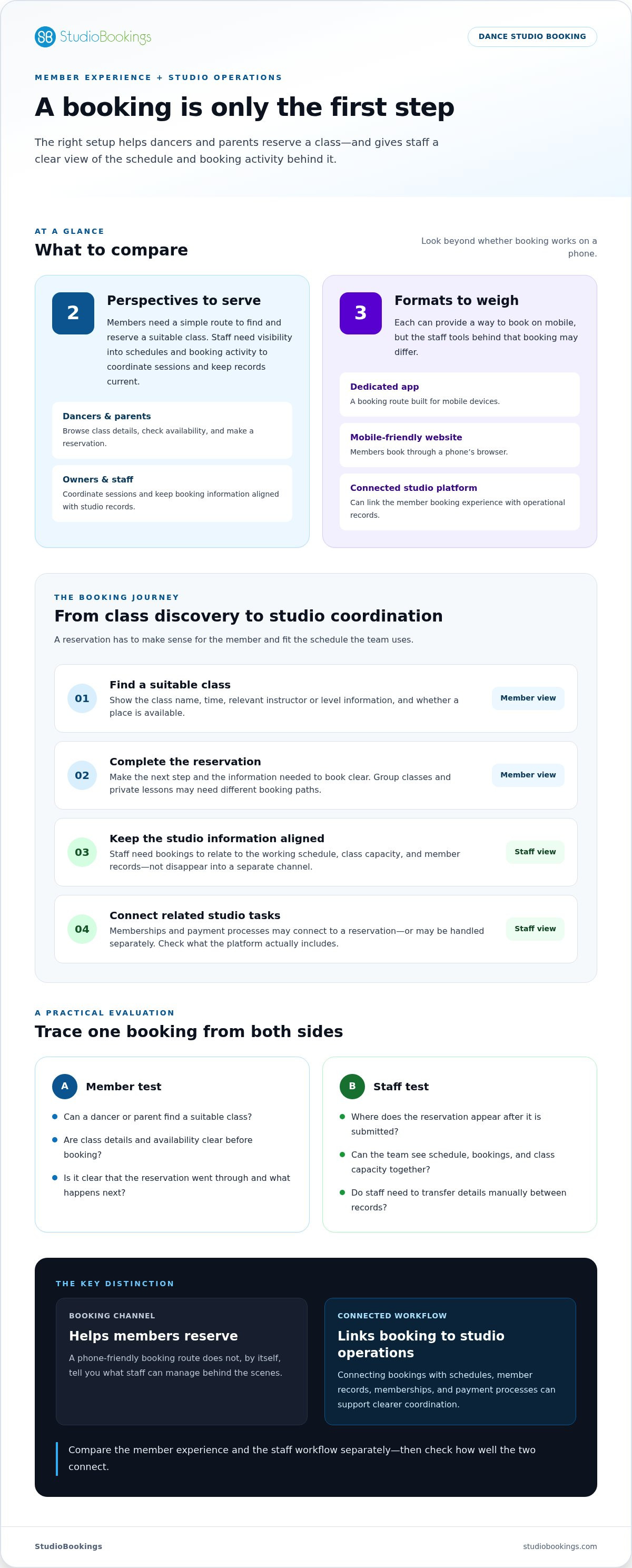
Start with the friction your studio actually faces, not a feature list. Are staff answering repeated questions about class availability, copying reservations into another schedule, or managing changes across separate records? Identifying the bottlenecks helps you assess whether a mobile booking app for dance studios will address the work taking up your team’s time.
Write down the classes, users, and booking tasks your studio needs to support. Include group classes and private lessons if you offer both, and consider the needs of dancers, parents, instructors, and administrators. Then test the member journey and staff workflow against the same examples.
Note where sign-ups, schedule updates, or member details create extra steps. Separate problems members experience from tasks that slow staff down.
List the class types, users, and steps involved, from finding a session through completing a reservation. Base the list on how your studio operates.
Ask someone to find a suitable class and complete a booking on a phone. Check whether class details, availability, and next steps are easy to understand.
Follow that reservation through the studio’s working process. Check whether staff can manage the related schedule and member information without unnecessary duplicate entry.
Consider how scheduling, memberships, payments, and staff management fit your needs. Separate the functions of the booking channel from those of the wider studio platform.
Once you’ve chosen a setup, introduce it in a manageable way. Starting with a focused group gives your team a chance to learn the process and spot confusing steps before expanding the change across the studio.
Begin with one class type or member group that provides a useful test of the booking process.
Give dancers and families concise instructions on where to book, what steps to follow, and what has changed. Share the same guidance with staff so they can answer questions consistently.
Ask members where they got stuck and invite staff to flag workflow gaps. Use their feedback to clarify instructions and adjust the booking process before expanding the rollout.
If memberships are part of the workflow you’re evaluating, the dance membership management guide can help you think through that part of the setup. For an example of a platform that connects dance booking with wider studio operations, explore StudioBookings.
Choosing a booking setup means looking beyond the screen a dancer uses. Your studio also needs a practical way to manage classes and related work. StudioBookings provides cloud-based management software for dance studios and other studio businesses, bringing class scheduling, memberships, payments, and staff management into the wider platform.
The StudioBookings mobile app serves both studio owners and members. It provides mobile access to the platform, while the studio-management software supports the operational areas behind the member experience. The distinction matters: the app is a mobile access point, while scheduling, membership, payment, and staff needs fit within the broader management platform.
Use the same evaluation lens from earlier in this guide: does the member experience provide convenient mobile access, and does the studio setup address the team’s everyday management needs? StudioBookings brings together class scheduling, memberships, payments, and staff management for dance studios. These are platform capabilities, not a promise that every task is handled in a particular way through the mobile app.
This wider context helps you assess whether your booking approach fits how the studio operates. For example, a team considering mobile access for members can also account for the schedules staff coordinate and the membership and payment processes the business manages. StudioBookings was founded in 2012 by studio owners, bringing firsthand studio experience to the platform’s background without making any particular outcome automatic.
Dance studios are part of the StudioBookings community alongside other studio types. If you’re comparing options, use the evaluation steps in this guide to consider the mobile app and wider management platform in relation to your classes and workflows. A free trial lets you explore the platform, and no-contract pricing gives studios flexibility as they assess their setup.
As you explore, consider how these capabilities relate to your studio’s day-to-day needs:
• Member and owner access through the mobile app
• Class scheduling for your studio’s timetable
• Memberships and payments as part of studio administration
• Staff management within the wider platform
See how these elements fit together for your dance studio with StudioBookings.
Turn your studio’s biggest booking frustration into a clear decision criterion. Families may need a simpler way to reserve classes, or staff may need fewer manual updates. Keep that priority in view as you compare a mobile booking app for dance studios, and focus on whether the setup fits how your community and team work.
You don’t need to solve every administrative challenge at once. Start with the booking experience that matters most, then consider how it fits into the studio’s wider routine. A practical choice should be manageable for staff and straightforward for dancers and families.
Explore StudioBookings, including its free trial and no-contract pricing, at studiobookings.com.
A mobile booking app for a dance studio is a phone-based way for students or parents to access class reservations. It may be a dedicated app or a booking experience provided through a mobile browser. The key distinction is what sits behind that access: a booking tool handles reservations, while studio-management software can also support the studio’s wider administrative work. Compare how the booking channel fits your studio’s schedule and records.
Yes. Dancers can book through a mobile app when their studio’s booking system supports mobile reservations. A student might open the schedule, compare class times, and reserve a place on the way to the studio. The steps depend on how the studio has set up its classes and booking platform. Parents may also use mobile booking for younger dancers, so clear class details and instructions are useful.
Yes. A dedicated app is accessed through an application on a mobile device, while a mobile-friendly website opens in the device’s browser. Both can provide a phone-sized booking experience, but members access them differently. For example, someone may prefer opening a saved website link rather than installing an app. Compare the actual booking steps and the staff tools behind them, not just whether the page fits a small screen.
Choose capabilities that match the way your studio runs. Members need enough class information to make a choice, such as session time and level, plus a clear route to reserve. Studios may also need to manage group-class capacity, private-lesson scheduling, and staff access to bookings. List your essential tasks first, then compare them against the member and staff workflows you’ll use.
It can when membership and payment tools are included in the connected studio platform. A booking app alone may only provide access to reservations, so don’t assume it handles membership administration or payment processing. Consider a real example: a member books a class and pays through an existing membership. Trace how each step is recorded and whether staff need to update another system manually.
Not necessarily. Some platforms provide mobile access for both studio owners and members, though the tools can differ by user role. Owners may need to review studio operations, while members use booking access. StudioBookings’ mobile app serves both owners and members. When assessing a setup, focus on whether each group can reach the tasks it needs rather than assuming two separate apps are required.
Make the new process easy to understand and repeat. Explain where to book, show the steps using a familiar class as an example, and share instructions through the channels your families already use. Keep the same guidance available at the front desk for anyone who needs help during the transition. Ask members what was confusing, then refine the instructions so the next booking is more straightforward.